Your collection gateway determines how customer money is requested and verified. Platform collections and a gateway owned by your business have different settlement arrangements. Make this decision explicitly before publishing paid Hotspot offers or asking subscribers to renew online.
Before you start
Open /settings?tab=payments in the workspace you intend to manage. The workspace name determines which routers, subscribers and records you can see. These screenshots use Acacia Internet, a fictional training workspace. Names, phone numbers, addresses, account counts and money shown are demonstration data; do not copy them into a live customer record. Your available controls depend on your role, plan and configured integrations.
1. Open payment provider settings
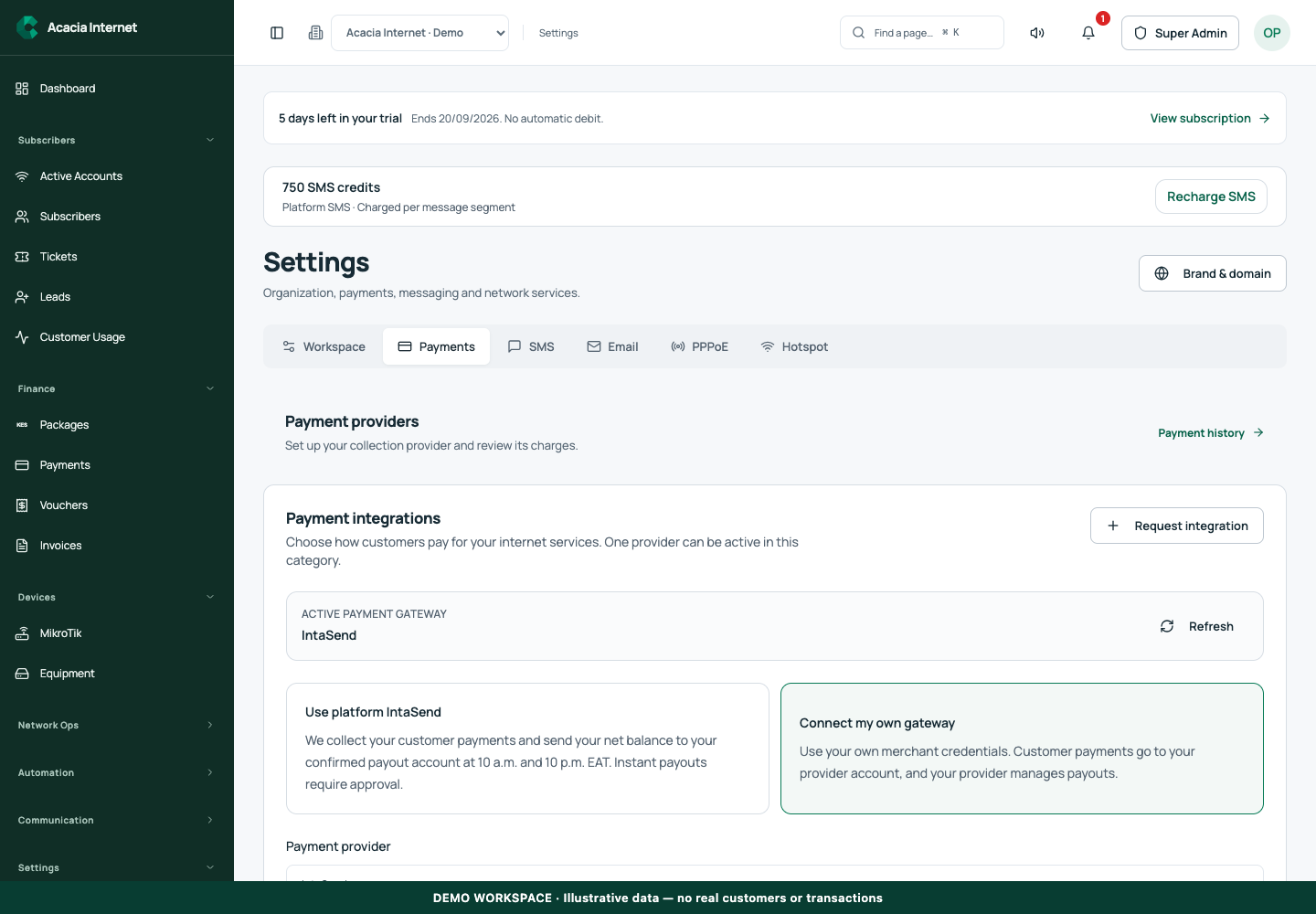
Go to Settings and select Payments. Review the current provider status and whether the workspace uses the platform connection or its own credentials. A provider appearing in a catalogue does not mean it is configured and ready. Read any readiness requirements before entering credentials or directing customers to checkout.
2. Understand platform collection mode
When you use the platform gateway, customer collections pass through the configured platform payment arrangement. Your eligible proceeds are represented by the platform settlement ledger and require a verified payout destination. Review the saved terms and charges shown in the workspace. Do not assume the gross amount collected is immediately available for withdrawal.
3. Understand an independently configured gateway
If your business uses its own supported payment provider, supply that provider’s approved credentials through the secure settings form. Collections and provider settlement then follow that account’s configuration. Your own gateway does not automatically create a platform payout balance. Keep the provider’s account ownership, settlement contact and support access under your business’s control.
4. Review readiness and activate the intended configuration
Save the selected configuration and run the supported readiness check. Fix missing credentials, provider approval or account status issues before enabling paid checkout. Treat API secrets as passwords and never paste them into blog comments or customer-facing pages. After a successful check, verify the active configuration rather than assuming the most recently edited form is the provider currently in use.
5. Test one real customer checkout path
Choose a test package assigned to the intended router, then open the customer-facing purchase or renewal flow. Review the amount and customer context before authorizing any live charge. Confirm that the phone prompt or checkout page comes from the intended provider. Retain the original reference and inspect its final payment state in the workspace.
6. Reconcile both collection and service activation
Verify that the completed collection appears once and the customer receives the intended entitlement. Inspect router confirmation before declaring the test complete. In platform mode, review the corresponding settlement record. In own-gateway mode, compare the provider dashboard or statement with CENTRANET’s collection record. These checks cover different parts of the money and service journey.
Confirm the result
Your team should be able to name the active provider, explain where collected money settles, identify the payout destination where applicable and trace a test payment to the resulting service. Repeat the controlled test after a provider or account change. Keep the old records available for reconciliation even if you move to a new gateway.
Questions and troubleshooting
Why does checkout not start? Check provider readiness, package publication, router availability and the customer’s payment details. Can I use both modes without thinking about settlement? No. Know which provider handled each transaction. Are fees fixed forever? Use the current saved terms and collection detail rather than a rate copied from this guide. Does saving credentials prove payments work? No; complete a controlled checkout and verify the recorded result.
Continue with the next task
Continue with payout configuration and SMS credit purchasing.
This guide describes the application reviewed on 15 September 2026. If a screen displays a warning, follow that specific message before continuing. For support, include the workspace, affected record, time of the attempt and the operation reference where available. Never include passwords, router command tokens, payment secrets or verification codes in a public support message.