Vouchers provide controlled access or subscription value through a code. A useful voucher process includes the package, intended service, secure distribution and a verified redemption result. Do not treat an exported list of codes as evidence that customers have received or successfully used them.
Before you start
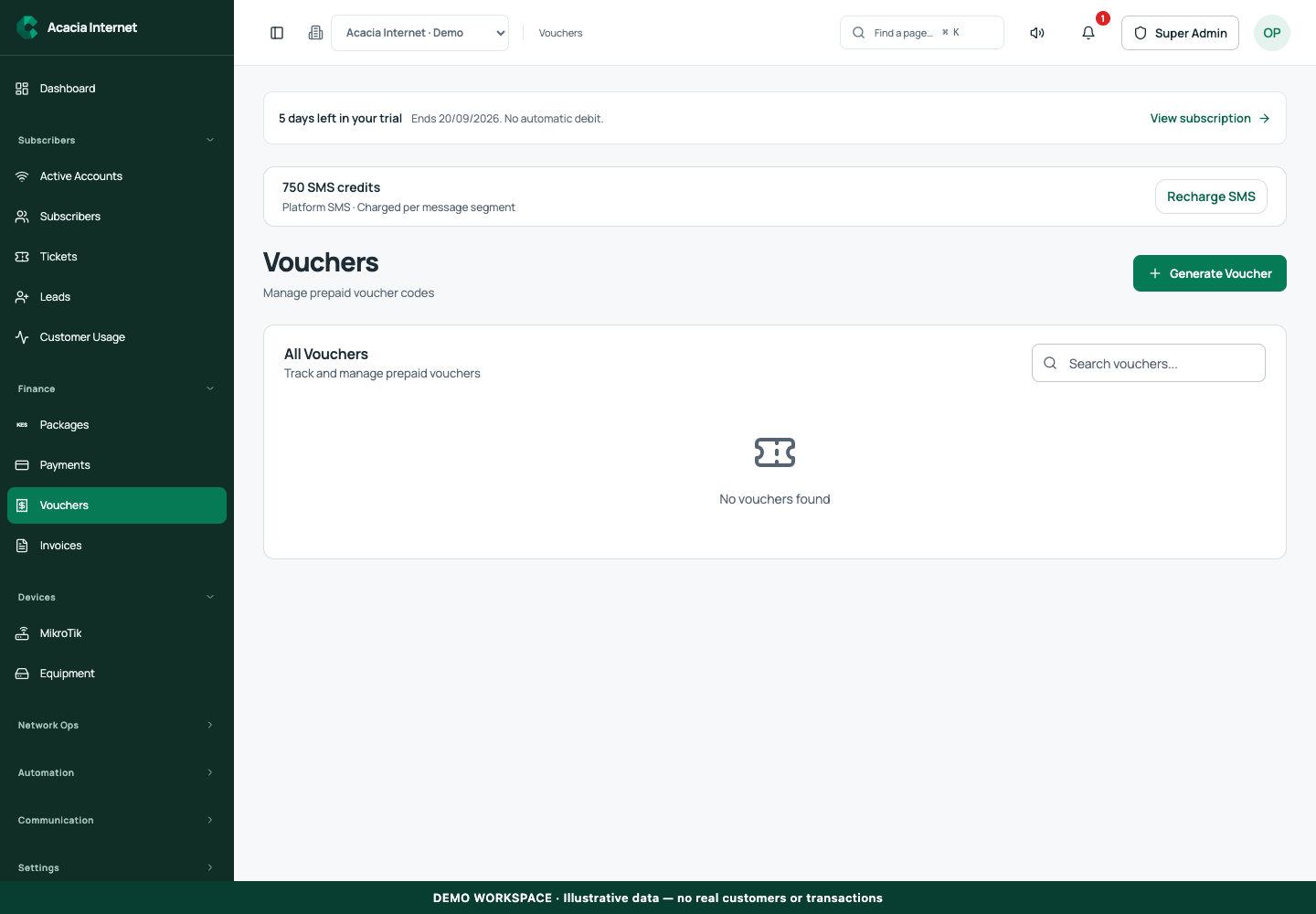
Open /vouchers in the workspace you intend to manage. The workspace name determines which routers, subscribers and records you can see. These screenshots use Acacia Internet, a fictional training workspace. Names, phone numbers, addresses, account counts and money shown are demonstration data; do not copy them into a live customer record. Your available controls depend on your role, plan and configured integrations.
1. Choose the intended service and package
Before generating codes, decide whether the customer is using Hotspot access or an existing PPPoE account through the customer portal. Review the package’s service type, validity and router availability. A code linked to an incompatible package should not be sold with a promise that it works on every service or at every location.
2. Generate a manageable batch
Open Vouchers and use the generation action. Complete the package, quantity and any available validity controls requested by the form. Start with a small internal batch so you can test the full redemption flow before printing or selling a large number. Check the resulting codes and batch details against the intended offer and retain an internal distribution record.
3. Protect unused voucher codes
Treat a usable voucher as access value. Keep exported files and printed stock under staff control, and share only the code intended for the recipient. Do not put live codes in public screenshots, support tickets or social posts. If staff distribute vouchers offline, record which batch and codes were issued so a later customer enquiry can be traced without guesswork.
4. Redeem from a Hotspot captive portal
Connect the customer device to the correct Hotspot network, open its captive portal and choose the voucher entry option. Enter the code exactly as issued and submit it once. The portal must be reachable before the customer has full internet access. Wait for the redemption and service result, then verify actual browsing rather than repeatedly resubmitting the same code.
5. Redeem for an existing PPPoE customer
The customer should open their dedicated portal and authenticate to their own account first. Use the voucher redemption control available for that account and submit a compatible unused code. Review the resulting subscription or access status and paid-through date. The customer portal identifies which subscriber is being updated; an unauthenticated page should not be used to guess another person’s account.
6. Reconcile redemption and router access
Return to the voucher list and inspect the code’s status and usage information. Open the associated customer or service evidence where available. If redemption was recorded but access is still pending, inspect the router and entitlement workflow before issuing another code. A second voucher can create a second business event and should not be used as an untracked workaround for a delayed operation.
Confirm the result
For your internal test, retain the generated code reference, the redemption result and the customer’s resulting service status. Confirm that an already used or invalid code does not silently create another entitlement. Verify the real captive and authenticated customer portal paths before distributing vouchers to paying users.
Questions and troubleshooting
Why was the code rejected? Check its spelling, expiry, previous use, workspace and package compatibility. Can one code be reused by several customers? Follow the voucher’s actual usage policy; do not assume a single-use code is a shared password. Why did a successful redemption not immediately restore internet? Router communication or service synchronization can still be pending. Inspect the recorded operation before issuing replacement value.
Continue with the next task
Continue with Hotspot portal design and customer app access.
This guide describes the application reviewed on 15 September 2026. If a screen displays a warning, follow that specific message before continuing. For support, include the workspace, affected record, time of the attempt and the operation reference where available. Never include passwords, router command tokens, payment secrets or verification codes in a public support message.