Payment reconciliation connects a customer, an amount, a provider reference and a verified outcome. It prevents duplicate charges and helps explain why service may still be pending after a customer has approved a payment. All money in the screenshots and examples below is fictional training data.
Before you start
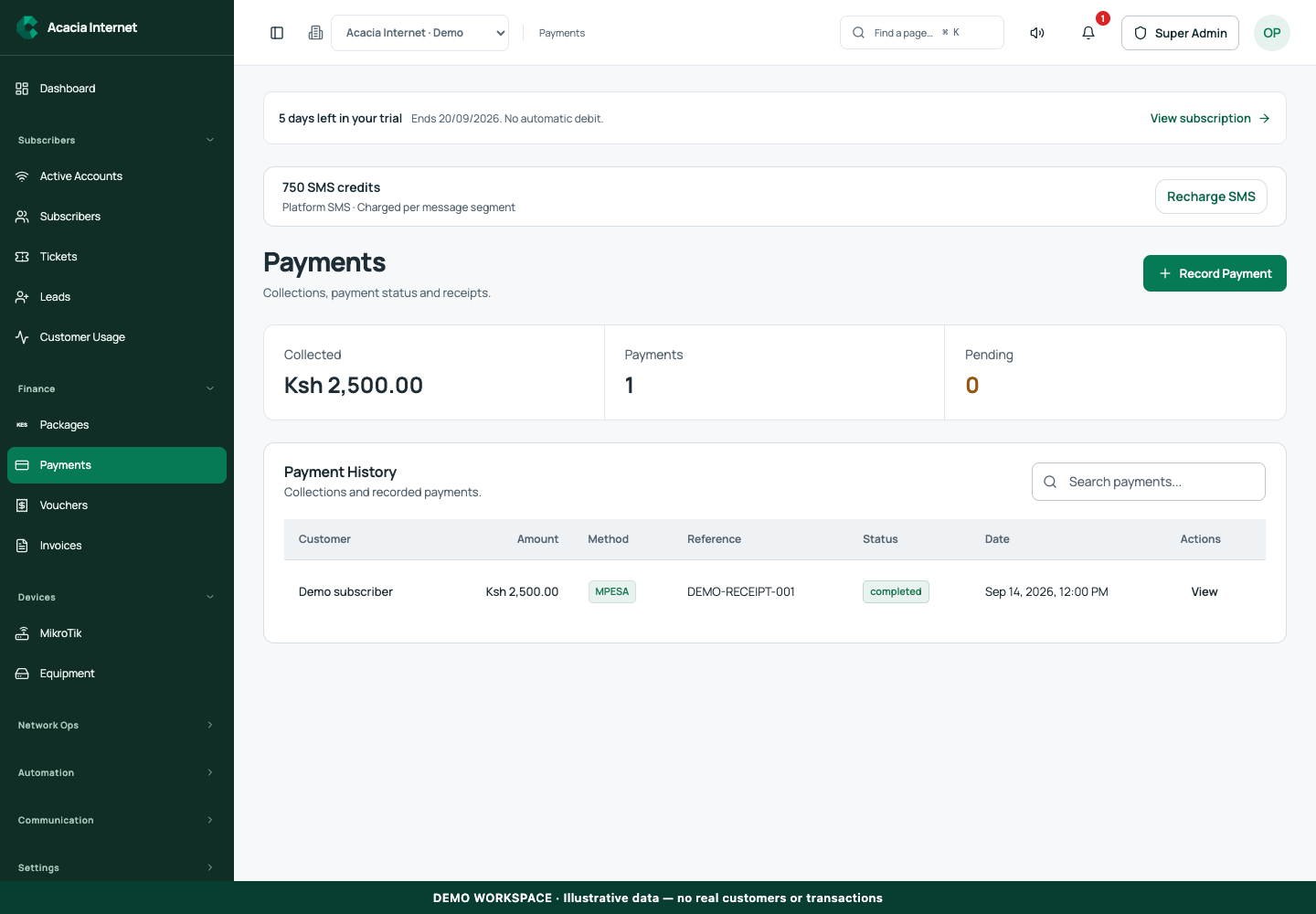
Open /payments in the workspace you intend to manage. The workspace name determines which routers, subscribers and records you can see. These screenshots use Acacia Internet, a fictional training workspace. Names, phone numbers, addresses, account counts and money shown are demonstration data; do not copy them into a live customer record. Your available controls depend on your role, plan and configured integrations.
1. Choose the correct workspace and reporting period
Open Payments in the organization that collected the money. Apply the available search and date filters, and record the timezone used for comparison. If a customer pays near midnight, the provider’s timestamp and the dashboard’s reporting day may look different. Compare the same time window before deciding a payment is missing.
2. Distinguish initiation from successful collection
A checkout request or mobile-money prompt is the start of a payment attempt. Pending, failed and completed states have different meanings. Do not promise service solely because a prompt appeared on a phone. Use the verified provider result recorded by the application. A customer screenshot can support an investigation, but the final ledger state should come from the supported verification workflow.
3. Match the original reference and amount
Ask for the original payment reference, amount and time, then find the corresponding record. For example, a fictional KES 2,500 collection should be compared with that exact customer purchase, not another KES 2,500 row selected only by value. Confirm the customer and package context. Never include the customer’s payment PIN or provider credentials in a reconciliation note.
4. Check invoice and service consequences separately
After confirming the collection, inspect any related invoice and the customer’s service state. Payment verification can be complete while router activation is still queued. Conversely, a manually edited account date is not evidence of a settled payment. Keep finance and technical support aligned by recording both the payment outcome and the latest router-confirmed service result.
5. Review fees and settlement records
Collection totals are gross receipts; payout calculations can deduct the saved fees and apply eligibility rules. Use the payment or settlement detail for the actual charge, not a hand calculation based on an old rate. In a training example, a gross amount and a net amount should be labelled separately. Do not add unrelated payout totals to customer collections and call the result revenue.
6. Resolve uncertainty without a duplicate charge
When an attempt is pending or its acceptance is uncertain, refresh and inspect the existing reference. Escalate to the finance administrator with the record and provider evidence when necessary. Do not initiate another charge merely to replace an offline receipt or dismiss a pending status. Once resolved, verify that the payment, invoice and service records tell a consistent story.
Confirm the result
A reconciled payment has a traceable original reference, the expected amount and customer, a verified payment state and a clearly documented service outcome. Review unresolved items regularly. Preserve payment history even if a subscriber is later deleted, because accounting and support investigations still depend on that record.
Questions and troubleshooting
Why is the customer paid but offline? Inspect the router activation acknowledgement rather than charging again. Why is a provider payment not visible in this workspace? Confirm the selected gateway, tenant, reference and reporting dates. Can I mark any payment successful? Use the authorized reconciliation or manual receipt workflow; do not bypass provider verification by editing display values. Are demonstration amounts real tariffs? No, they are illustrative only.
Continue with the next task
Continue with manual receipts and payout records.
This guide describes the application reviewed on 15 September 2026. If a screen displays a warning, follow that specific message before continuing. For support, include the workspace, affected record, time of the attempt and the operation reference where available. Never include passwords, router command tokens, payment secrets or verification codes in a public support message.