Paid Wi-Fi services
Hotspot Billing Software with M-Pesa
Hotspot billing software with M-Pesa helps turn a Wi-Fi connection into a simple purchase: select a package, enter a phone number and pay. The software should keep that customer journey clear while managing payment confirmation, router authorization and expiry behind the scenes. Centranet supports branded Hotspot experiences and service administration for MikroTik networks. This guide explains how to prepare a paid Wi-Fi site and test the entire customer journey.

01
Design the purchase around the guest
A guest wants internet, not a tutorial on networking. Put package names, price and duration where they can see them immediately. Show a single clear payment action after selection. Keep optional information out of the main path and provide a visible support option for someone whose payment succeeded but access did not start.
Do not require an email address for a short Hotspot purchase. The paying number and the device context are enough for the supported checkout flow. Explain what happens after payment and what to do if a prompt is delayed. A small amount of precise feedback is more useful than several paragraphs of technical explanation.
02
Prepare the router and Wi-Fi site
Use the required RouterOS version and clean setup prerequisites, then review the selected customer interfaces in onboarding. Protect the WAN and management connections. Confirm that downstream access points bridge or route traffic as intended and that customers arrive at the MikroTik Hotspot service rather than a competing captive portal.
Walk the site with a phone and test signal coverage. Billing cannot correct weak Wi-Fi, excessive interference or a saturated upstream connection. Make the network name recognizable and avoid requiring customers to join several different networks before payment. Document the serving router and any downstream access point for support.
03
Create minute, hour and day packages
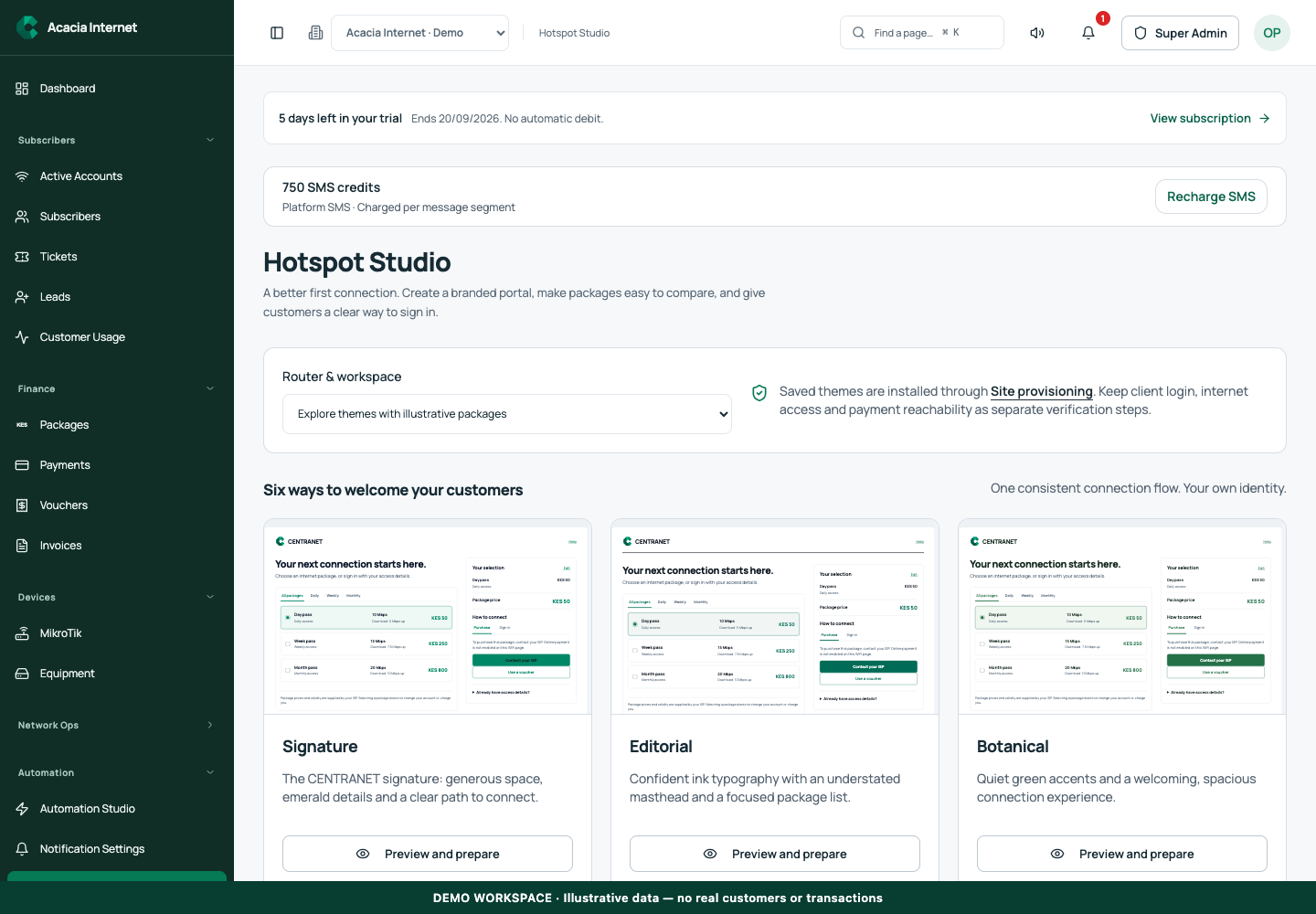
Hotspot offers can use short durations such as minutes and hours as well as longer periods. Set the price, upload and download speeds, duration and router assignment. Choose package names that show the real benefit: “2 Hours” is clearer than an unexplained internal code. Keep the choices limited enough to compare on a phone.
Clarify the difference between validity and consumed online time in your configured policy. A customer needs to know whether a two-hour package ends two hours after activation or represents an allowance under a particular time policy. Do not imply an outage-recovery rule changes every package into unlimited pause-and-resume access.
04
Make the captive page reachable before payment
The portal must load while the device is still unauthenticated. That requires working DNS, an appropriate captive portal configuration and access to the public portal and checkout dependencies. The router’s walled garden should allow the required endpoints without opening unrestricted internet. A beautiful page is ineffective if customers cannot reach it.
HTTPS interception is especially delicate because a router cannot impersonate arbitrary secure websites with a valid certificate. Use the intended captive detection and portal flow instead of trying to redirect every HTTPS request. Test from the phone’s captive browser and its normal browser. Check domain and certificate behavior whenever the portal host changes.
05
Collect payment and show useful progress
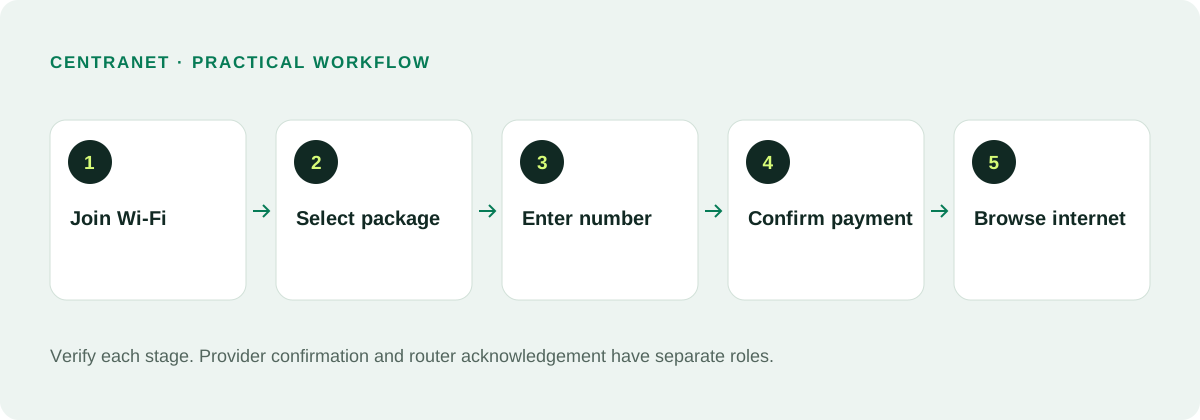
After a guest selects a package and enters a number, the configured provider initiates checkout. The guest authorizes the M-Pesa prompt on the phone. The page should distinguish waiting for authorization, confirming payment and activating internet. Do not show a successful connection before the router has accepted the entitlement.
If the customer cancels the prompt or payment fails, show a retry option. If the attempt is unresolved, reconcile its status before creating another charge. Retain the original reference so support can investigate. Never ask the guest to enter an M-Pesa PIN into the portal.
06
Activate the correct device and service
Payment must be linked to the intended package, workspace and customer session. Once verified, the platform creates or updates the entitlement and asks the router to authorize the device. The device context matters because phones may use private or randomized Wi-Fi MAC addresses. Test reconnection behavior using the actual customer flow.
A confirmation delay can arise in the collection callback, service-change delivery, router processing or captive browser. Investigate those stages separately. Keep a confirmed payment safe from duplicate checkout. If activation remains pending, show the customer a status and support path instead of making them guess whether to pay again.
07
Offer vouchers without confusing checkout
Vouchers provide a separate way to redeem an existing entitlement. Present voucher redemption as an alternative to buying a package, with a clear field and action. Define where each voucher can be used, its package, duration and redemption limits. Protect against repeat redemption so one code does not produce multiple unintended grants.
Test a valid voucher, an expired voucher, an already-redeemed voucher and a code intended for another workspace or service. Staff should know how to find the voucher record without sending codes into a public group. Keep purchase receipts and voucher redemptions distinct in reports.
08
Handle expiry and return visits
When the package expires, the router should enforce the service policy and the customer should have a route back to package selection. A configured expiry notice helps explain the change. However, phone operating systems differ in when they open a captive portal; do not promise every device will automatically pop up a page at exactly the expiry second.
Provide a recognizable portal link and a simple reconnect instruction. Test expiry on Android, iPhone and laptop browsers with mobile data disabled. Confirm the portal remains reachable without authorization. A renewed package should activate against the current device and session context rather than an obsolete browser state.
09
Review outages and customer recovery
When heartbeat monitoring detects an outage, owner notifications can help the ISP respond. The configured Hotspot recovery workflow can preserve eligible unused time after reconnection. Detection follows heartbeat and outage thresholds; it is not a magical signal sent at the exact moment a cable is unplugged. Test the behavior at a controlled site.
Keep the recovery policy transparent and verify its recorded adjustments. A loss of Wi-Fi coverage for one customer is different from a router-wide outage. Avoid giving undocumented manual extensions that conflict with automatic recovery. Support should be able to explain which outage affected the customer and what time was restored.
10
Launch with a real purchase checklist
Use a short low-cost test package and a test phone at the site. Load the captive page, pay once, confirm authorization, browse, disconnect and reconnect, then let the offer expire. Test a failed payment and retry as well. Repeat after changes to router interfaces, portal domains or payment providers.
Track purchases, activation failures, support requests and provider references. Unlimited Hotspot account capacity in a subscription does not mean unlimited router performance or free payment processing. Budget for upstream bandwidth, hardware, messaging and applicable usage fees. A reliable guest experience grows through clear choices and evidence-based support.
Related documentation and next steps
Use current product information and original provider documentation when planning your deployment.
Good questions. Clear answers.
Let’s clear
a few things up.
A little clarity goes a long way.
Ask us something elseMust Hotspot guests provide an email?
No. The supported purchase flow can use package selection and a payment phone number without requiring an email address.
Can I sell packages measured in minutes or hours?
Yes. Set the supported short duration, price, speeds and intended router, then test the precise validity behavior.
Why might the captive browser fail after expiry?
Check unauthenticated portal reachability, DNS, TLS and the walled garden. Device captive detection behavior also varies; test the actual phone and site.