Payments and renewals
M-Pesa ISP Billing & Automatic Reconnection
M-Pesa ISP billing should make renewal simple for subscribers and traceable for your finance team. A customer pays through the supported route, the provider confirms the transaction, and the platform applies the correct internet entitlement. Centranet links those events to subscriber records and router operations. This guide covers STK checkout, Paybill references, payment verification, automatic reconnection and the important difference between collections and payouts.

01
Follow the complete payment lifecycle
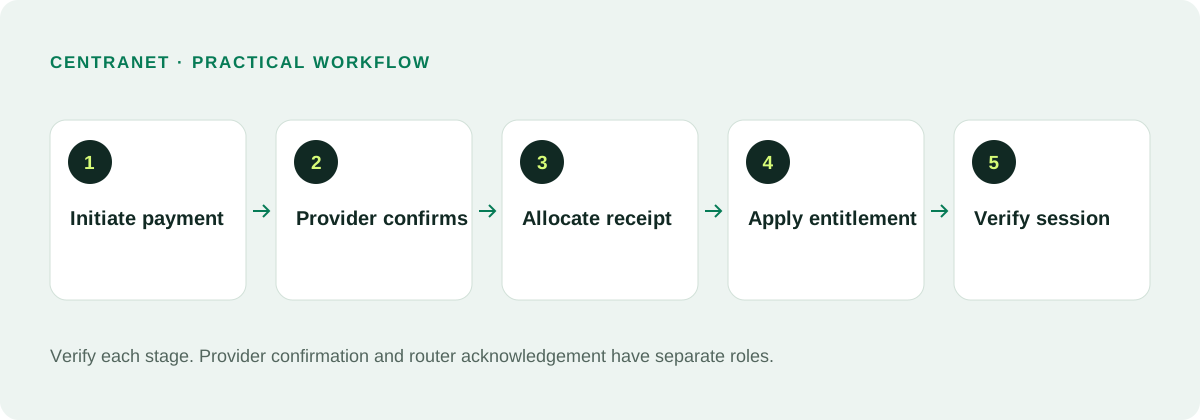
A payment begins as an intention to buy or renew a package. The provider then processes the collection and reports its outcome. The platform verifies that outcome, records the transaction and allocates the purchased service. Only a confirmed allocation should trigger activation. Displaying payment received before confirmation creates confusing support and accounting problems.
Keep a provider transaction reference, amount, currency, subscriber and package attached to each successful receipt. These fields help reconcile a payment if the browser closes or the customer’s phone loses signal. The system needs durable records because the purchase journey often spans several networks and devices.
02
Choose managed collection or your own gateway
With a platform-managed route, Centranet’s configured provider collects customer payments and the workspace needs a supported, verified payout destination. The operator should understand net settlement, charges and availability before going live. The workspace does not independently select the platform’s upstream provider simply by choosing a payout account.
With your own supported merchant gateway, you configure your own credentials and collection settings. Funds settle according to your provider agreement. Test credentials, callback setup and live collection before publishing the payment instructions. Do not copy another workspace’s shortcode or account details into a new ISP’s reminders.
03
Make STK checkout clear
An STK purchase asks for the paying phone number and prompts the customer to authorize the charge on their phone. Show the package, price and business context before submission. Explain that the M-Pesa PIN is entered on the phone prompt, never into the website or a support chat. A customer should not need to understand provider APIs to purchase internet.
If a prompt does not arrive, confirm the phone number and the attempt status. Let the customer retry a failed attempt. If an attempt is still pending, reconcile it before starting a replacement charge. Network delays can cause a phone prompt and a website response to arrive at different times.
04
Use unique Paybill account references
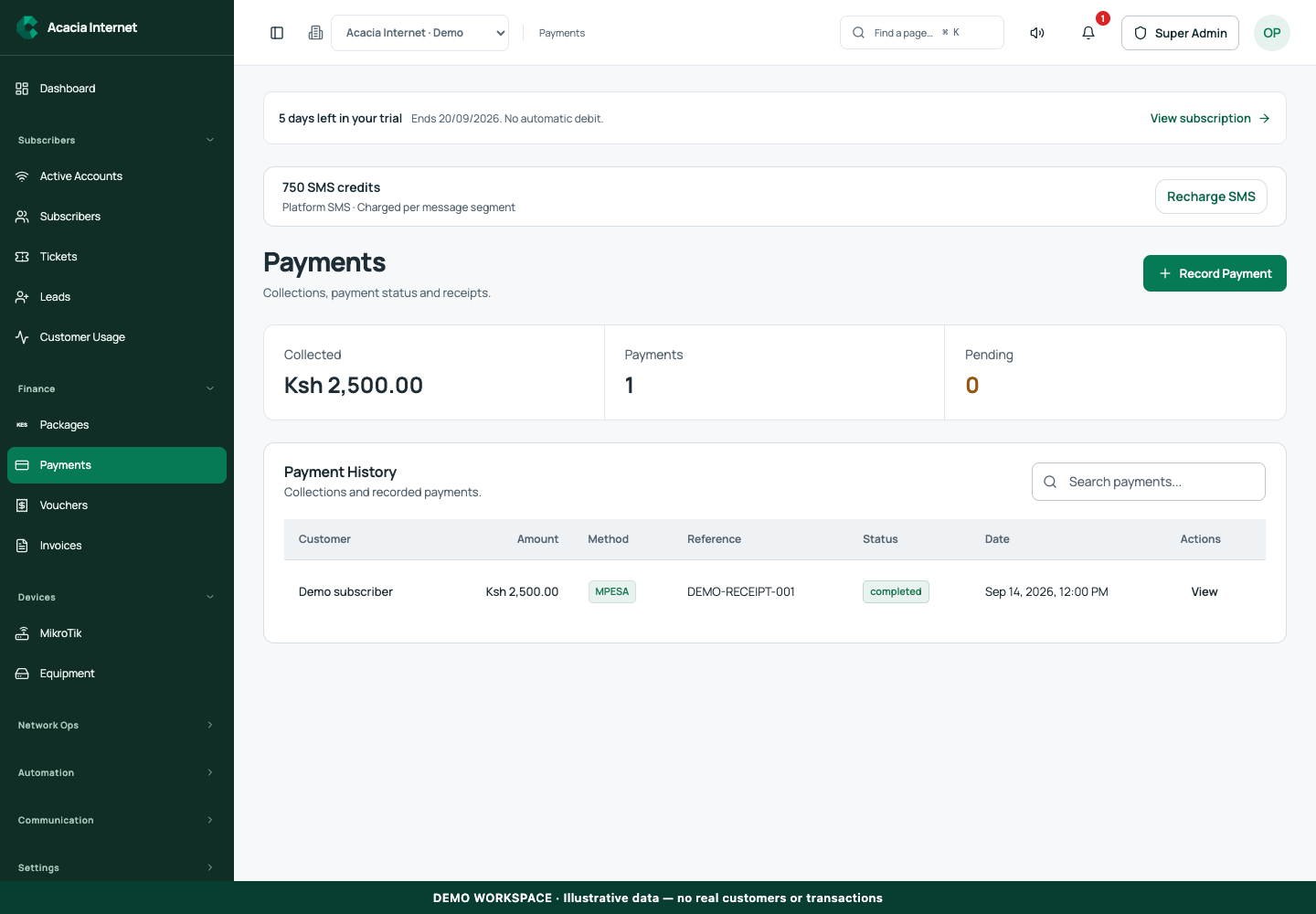
Manual Paybill renewals are helpful for PPPoE subscribers who prefer paying directly from M-Pesa. Each customer needs an account reference that maps unambiguously to their workspace and subscriber record. A readable name with a short suffix can help, provided the complete reference is unique and accepted by the payment route.
This path requires an active Paybill collection integration and a callback or reconciliation mechanism that preserves the account reference. It is not automatically available just because STK works. Publish the exact Paybill and reference shown for the active route, then test a small payment. The business name shown by M-Pesa is controlled by the registered merchant or shortcode, not by a portal’s white-label logo.
05
Design reminders people can act on
A useful renewal reminder identifies the ISP, the customer account, the package or amount due, and the available payment route. Include a secure portal link where supported. Keep the message concise and avoid exposing credentials. A subscriber should be able to understand it on a basic phone without opening a long guide.
For example, an illustrative reminder could read: “Acacia Internet: Home 10 Mbps renewal is due. Use your assigned account ACACIA42 with the Paybill shown in your portal, or open your secure payment link.” The name and reference here are dummy examples. Never send a generic Paybill instruction that cannot be reconciled to the recipient.
06
Activate only after verified confirmation
The provider callback should be authenticated and processed idempotently so repeated notifications do not create repeated subscription credits. The transaction amount and reference need to match a valid payment intent or allocation rule. Browser polling helps display progress but must not become the source of financial truth.
After a confirmed payment, the entitlement is updated and the service change is sent to the assigned router. Automatic reconnection depends on the router receiving and applying that change. A paid-through date in the portal and an active device session are complementary evidence. Show an activation state when confirmation has arrived but router work is still pending.
07
Separate collection speed from payout availability
Customer internet activation does not need to wait for the ISP’s bank or mobile-money payout. Collection confirmation determines the entitlement; provider settlement determines when collected funds can be disbursed. A provider can report a current balance that includes funds not yet available for withdrawal. These states should never be combined into one misleading balance.
IntaSend confirmed instant withdrawal for new M-Pesa collections on Centranet’s merchant account going forward. Historical collections may retain their original settlement status. Payouts still require sufficient available funds, a valid destination and a successful provider outcome. Do not promise every disbursement will arrive immediately under all conditions.
08
Handle partial, duplicate and unmatched payments
Define what happens when a customer pays less than a renewal price, pays twice or enters the wrong account reference. Keep the original transaction and investigate before applying a manual adjustment. A ledger-backed correction is safer than changing the paid-through date without a financial record. Support should explain the decision to the customer.
If a payment cannot be matched, place it in reconciliation rather than assigning it to the nearest similar name. Names and phone numbers are not always unique. Use transaction references and account identifiers. Keep retry processing idempotent so a delayed callback does not credit an already reconciled payment a second time.
09
Resolve paid-but-offline cases methodically
First confirm that the provider marked the collection successful. Then check that the receipt was allocated to the intended subscriber and package. Inspect the router assignment, heartbeat and activation acknowledgement. Finally inspect customer equipment and authentication. This sequence separates a payment issue from a network issue.
If the browser says status temporarily unavailable, keep the transaction reference and refresh status through the supported flow. Do not treat a temporary status lookup failure as proof the customer has not paid. Avoid asking them to authorize another charge until the original outcome is known.
10
Test and reconcile before scaling
A launch checklist should include a successful STK purchase, a cancelled prompt, a delayed callback, a duplicate callback and a successful subscriber renewal. Add a manual Paybill test only for a route that actually supports it. Check both financial records and device access after each successful case.
Reconcile provider receipts against the platform ledger regularly. Review pending collections, unmatched references and failed payouts separately. Limit access to merchant credentials and payout settings. Keep customer instructions current whenever a collection provider changes so old reminders do not direct funds to an inactive route.
Related documentation and next steps
Use current product information and original provider documentation when planning your deployment.
Good questions. Clear answers.
Let’s clear
a few things up.
A little clarity goes a long way.
Ask us something elseCan my ISP name appear on a shared Paybill?
The name shown in M-Pesa is governed by the registered merchant or shortcode. Portal branding alone does not change it; your own merchant account can provide your registered business identity.
Does IntaSend STK automatically provide a manual Paybill account route?
No. Manual reference-based collection must be supported and configured for the actual merchant route. Use only the payment instructions shown for your workspace.
Should a customer pay again if activation is delayed?
Reconcile the original payment first. A confirmed collection should be investigated through entitlement and router status, not replaced with another charge.