Fixed subscriber services
PPPoE Billing & Subscriber Management
PPPoE billing software helps an ISP connect recurring subscriptions to authenticated internet service. Every subscriber needs a clear account, the right router and package, a reliable renewal method and a visible service state. Centranet brings these records together so support can answer both “has the customer paid?” and “is the connection active?” This guide walks through a practical fixed-subscriber lifecycle, from registration to renewal, package changes and troubleshooting.

01
Model the subscriber lifecycle
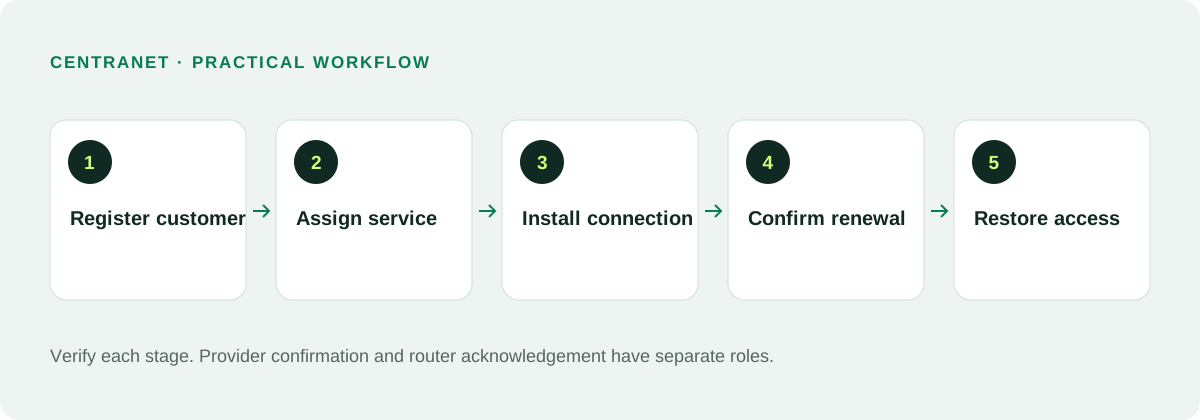
A fixed subscriber moves through registration, installation, activation, ongoing use, renewal and eventually suspension or closure. Each stage should have an identifiable owner and a recorded result. A new customer should not be marked fully active just because a salesperson created their profile. Installation and payment may still be incomplete.
Use separate identifiers for the business account and the network login where appropriate. The business account ties together invoices and communications; PPPoE credentials authenticate the customer equipment. Do not place router administrator credentials into a welcome message or reuse one connection login for unrelated households.
02
Create service-ready packages
Define a PPPoE package with its commercial price, subscription period and intended speeds. Give the package a plain name customers can understand. Choose the routers that will offer it and synchronize the applicable profile. Confirm the service definition before assigning many customers, especially if sites have different capacity.
Download and upload are different directions; make both explicit. If you advertise a fixed speed, know whether the profile is a rate limit or a guaranteed bandwidth commitment. Network congestion and upstream availability still affect actual experience. Avoid promising dedicated capacity when your offer is a shared residential service.
03
Register accurate customer details
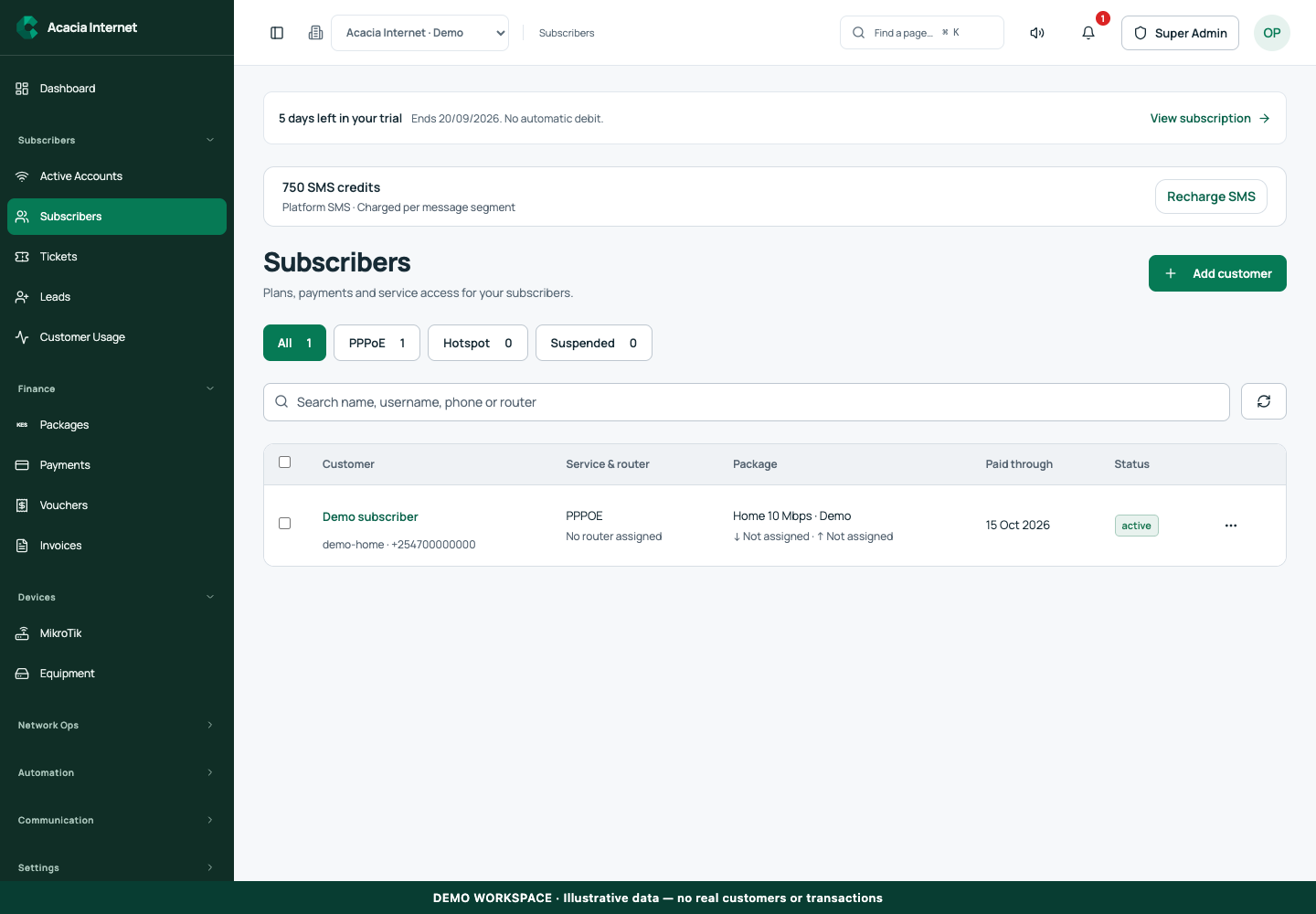
Capture the subscriber’s name, valid phone and email where used, installation location, router and package. Check duplicates before saving. Assign a unique account reference that the supported payment route can recognize. Spell the name correctly so reminders and support look professional and the customer can recognize their account.
Test welcome delivery with a sample registration. The welcome information should include the business identity, customer portal link, account reference, available payment instructions and a safe login or password setup path. If an email address is wrong, correct the record rather than sending repeated invitations to the same invalid inbox.
04
Connect the customer equipment
PPPoE connection credentials must be entered on the appropriate customer equipment. The access path must reach the intended PPPoE service on the network. Validate installation with a session test, not only by checking that a cable is plugged in. Verify the customer receives an address and can reach an external site.
Keep installation notes that help the next technician: serving router, customer location, relevant port or network segment and equipment identifiers. Avoid publishing secret connection passwords in shared notes. Where reconciliation is needed for existing accounts, inspect the router’s records before creating duplicates.
05
Give customers more than one renewal path
Some subscribers use their portal and prefer a click-to-pay checkout. Others prefer a Paybill and account reference when that route is configured. Reminders should describe the actual options for the customer’s workspace. A portal link is helpful even for a customer who usually pays manually, because it provides a place to review the current service.
For manual payments, confirm that the provider preserves the unique account reference and sends usable notifications. An STK integration by itself does not establish this flow. Test a renewal using the same instructions a customer receives, then verify the receipt, entitlement and active session.
06
Calculate service periods consistently
Choose a renewal rule and apply it consistently. Renewing before expiry may extend an existing paid-through period; renewing after expiry may start a new service period according to the configured policy. Customers should understand the rule before paying. Do not conceal an expired period or invent a new date without a supporting transaction.
Use the recorded subscription period, not an informal promise in a chat. If a correction is needed, retain an auditable reason and payment reference. A finance adjustment and a technical reconnection are different operations. Keep both traceable so staff can explain why access was granted.
07
Manage expiry and restoration
Before expiry, send reminders using the available channels and the workspace’s messaging configuration. Monitor SMS credits for Kenyan reminders and use email where configured. After expiry, the service should reflect the configured entitlement policy. A customer who pays successfully should have a clear activation result rather than only a generic success toast.
Automatic restoration depends on confirmed allocation and an online router applying the change. If the customer remains offline, review the router command and active session. A billing system cannot restore a broken fibre drop or a powered-off customer router. Keep the customer informed while distinguishing technical work from financial confirmation.
08
Handle upgrades and customer changes
A package change affects commercial terms and router enforcement. Decide whether it starts immediately or at renewal, whether there is an additional charge and how the remaining period is treated. Show the resulting package and price before accepting a customer’s payment. A customer should not discover a higher charge after clicking an upgrade button.
Move customers between routers only when their physical or logical access path also changes. Updating the assignment in software is not a substitute for moving the network connection. Check the old session, new profile and new authentication after a move. Maintain the payment history on the same subscriber account whenever appropriate.
09
Use bulk operations with deliberate selection
Bulk selection is useful for assigning packages, sending reminders or updating service states, but a large operation should have a well-defined audience. Filter by router, service type, package or status first. Review the count and selected records before submitting. A suspended PPPoE account and an expired Hotspot guest need different handling.
For imports, validate unique logins and account references, phone formatting and supported package mappings. Test a small batch before a full migration. Keep financial records durable when archiving or removing a customer; deleting a profile must not destroy receipts needed for reconciliation or audit.
10
Measure service health and reconcile accounts
Review active sessions alongside subscription states. A paid subscriber without a session may simply have turned off their equipment; a session alone does not tell you whether the ledger is correct. Use billing status, router evidence and customer contact together. This prevents support from mistaking normal inactivity for an outage.
A weekly review can identify duplicates, missing router assignments, failed welcome deliveries, unmatched payments and long-pending service changes. Correct the root record rather than repeatedly making temporary network exceptions. Good subscriber management is the reason renewal automation stays useful as the ISP grows.
Related documentation and next steps
Use current product information and original provider documentation when planning your deployment.
Good questions. Clear answers.
Let’s clear
a few things up.
A little clarity goes a long way.
Ask us something elseCan subscribers renew without opening their portal?
Yes, where a manual payment route with a unique account reference is configured. Publish and test the correct instructions for that workspace.
Can I manage customers on multiple routers?
Yes. Keep each customer and applicable package assigned to the intended router, and verify service changes on that device.
Are PPPoE users the same as Hotspot guests?
No. They have different authentication and subscription journeys. Keep their packages, account states and support workflows distinct.