Reseller business operations
ISP Billing Reseller Platform
An ISP billing reseller platform lets a business offer branded software to independent internet providers without building a separate billing system for every client. The reseller manages its commercial relationship and supported branding, while each ISP needs an identifiable workspace, customer records and payment configuration. Centranet’s reseller model is designed around those independent workspaces. This guide explains the operating structure, pricing and onboarding process you should establish before selling the service.

01
Distinguish resellers, ISPs and subscribers
A reseller is the business offering the platform to client ISPs. An ISP workspace belongs to an internet business that serves subscribers. Subscribers are the people or businesses buying internet from that ISP. These roles should be obvious in navigation, invoices and reporting. Calling every role a customer without context makes support and billing confusing.
Use a consistent naming scheme for client workspaces and record the responsible ISP owner. The reseller’s platform subscription is separate from subscribers’ internet payments. A client ISP’s receipts should not be casually mixed with the reseller’s subscription revenue. Keep the commercial relationships legible as the portfolio grows.
02
Plan the commercial offer
Decide what you are selling: access to software, onboarding help, branding assistance, network installation or ongoing support. Explain which services are included in your client fee and which require an additional charge. A small ISP should understand the base price, any usage element and the cost of requested integrations before signing up.
Avoid selling a service with guarantees you cannot operate. Remote router management depends on an online device and a verified management path. Automated payments depend on active providers and callbacks. A reseller can offer helpful support and a tested setup process without promising that every external service will always be available.
03
Understand reseller subscription capacity
The published reseller onboarding payment is KES 3,000: KES 1,500 setup and KES 1,500 for the first month. From month two the base subscription is KES 1,500 per month, including up to ten activated ISP workspaces. Each additional activated ISP adds KES 200 per month. The optional reseller custom domain adds KES 200 per month.
Activated workspaces are different from prospect records or individual internet subscribers. Review the capacity definition shown in the current subscription and billing screens. Additional provider, messaging and usage charges may apply separately. The live pricing page and invoice remain the source for the current offer.
04
Configure the reseller identity and domain
Set the reseller business identity, logo and support contacts. Follow the gated branding workflow for the subscription. If using a custom domain, configure DNS and wait for ownership and certificate verification. Test its access path before distributing it to client ISPs. A requested hostname is not proof of a working branded platform.
Decide which identity appears at the reseller level and which client ISP identity appears to subscribers. A client’s customer portal should not accidentally advertise another ISP. Use a sample client to review headers, footers, support links and welcome messages. Preserve legally required operator and provider information.
05
Create independent ISP workspaces
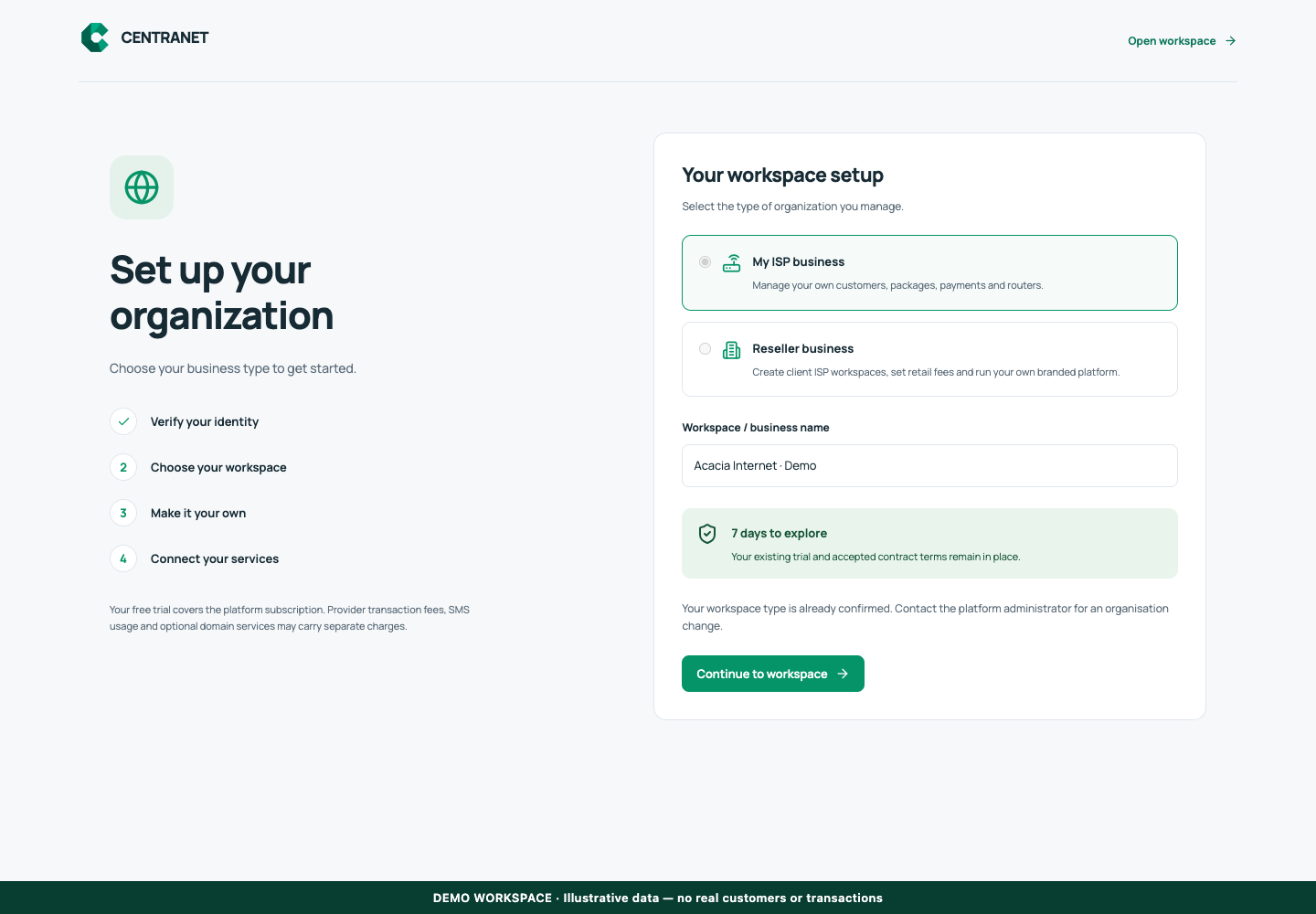
Capture the client ISP’s business name, owner email, country and supported service context. Invite the intended owner using a verified registration flow. Complete workspace setup before moving to router installation. Keep the reseller’s access deliberate and avoid sharing a single owner credential across several client businesses.
Each workspace should retain its own subscribers, packages, routers, financial records and communication settings. A technician working for several ISPs should know which workspace is selected. Test scoping with a second demo client rather than assuming that different colors prove isolation. This is a critical operational boundary.
06
Standardize client onboarding
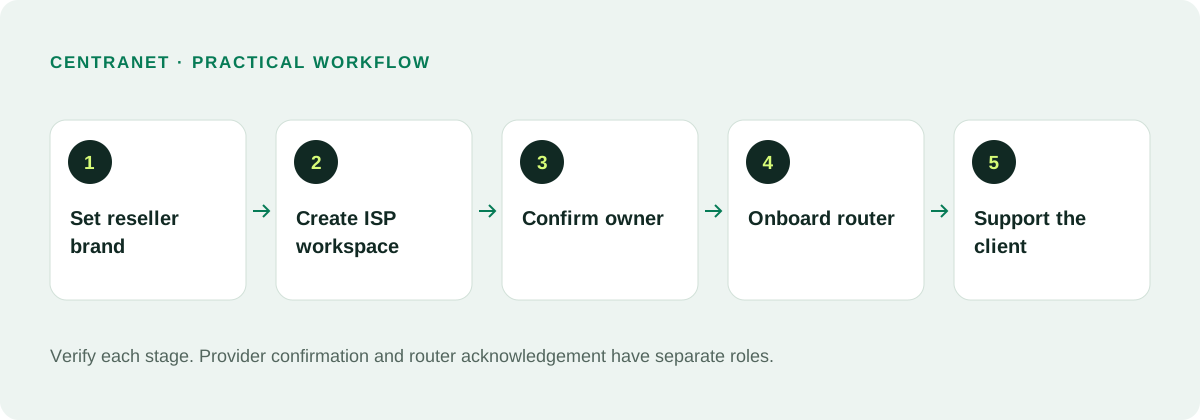
Create a repeatable sequence: verified owner, completed workspace, payment choice, branding, router preparation, package creation, test customer and test purchase. Use the same checklist for each client. Record the result of each stage so a second staff member can continue where the first stopped.
For MikroTik clean setup, confirm RouterOS 7.20+, a clean hard reset and internet access. Existing production devices need a backup and a planned interruption before reset. Review interfaces with the client’s technician. A fast sale is not worth an avoidable outage caused by guessing which port is the uplink.
07
Set payments and payouts per client
A client using available platform-managed collection must configure a supported payout destination and understand the charges and settlement rules. A client using its own supported merchant gateway supplies its credentials and follows that provider’s payout agreement. These choices should be explained during onboarding rather than discovered after the first payment.
Do not reuse one client’s gateway secret or Paybill instructions for another business. Test callback allocation and service activation with a small transaction. For manual account-reference payments, verify that the active route actually supports that workflow. Keep provider receipts and payout outcomes available for finance support.
08
Give staff roles and a support process
Choose who can change branding, configure gateways, manage routers and answer subscriber tickets. The client owner should understand which actions are reserved to them or to the platform administrator. Technicians should not need unrestricted finance access merely to diagnose a connection problem. Keep account recovery and privileged access distinct.
Define escalation levels. A subscriber Wi-Fi problem may belong to the ISP; a template or platform issue may require reseller or platform support; a failed payout may need provider investigation. Collect the transaction reference, router identity and exact error before escalating. This produces useful tickets instead of long chains of vague messages.
09
Report on the portfolio without confusing revenue
Useful reseller reporting includes activated workspaces, subscription status, outstanding onboarding tasks and recurring client fees. ISP subscriber collections are a separate category. When summarizing performance, use the same time period and currency assumptions and distinguish gross receipts from available settlement balances.
An illustrative portfolio with twelve activated clients would exceed the included ten by two; at the published extra-client rate, the added capacity charge is KES 400 per month. This is a dummy calculation, not a generated invoice. Review the actual billing period and activation records before quoting a client or reconciling charges.
10
Grow through a repeatable service
Start with a small number of client ISPs and make onboarding reliable. Give owners a short first-day guide and technicians a technical checklist. Maintain reusable package templates where appropriate, but review speed and network settings for each site. Shared software does not make all physical networks identical.
Track failed invitations, unfinished workspaces, payment configuration and router setup status. Improve the step that causes repeated questions. A successful reseller business combines clear pricing, consistent branding and dependable support. Focus on helping each ISP operate confidently rather than adding untested features to a sales promise.
Related documentation and next steps
Use current product information and original provider documentation when planning your deployment.
Good questions. Clear answers.
Let’s clear
a few things up.
A little clarity goes a long way.
Ask us something elseHow many ISP workspaces are included?
The current reseller base includes up to ten activated ISP workspaces. Additional activated workspaces are listed at KES 200 each per month.
Is the initial payment KES 3,000?
Yes in the published model: KES 1,500 setup plus KES 1,500 for the first month. Check current checkout terms before payment.
Can every client have its own payment gateway?
A client can use its own supported merchant integration, or an available platform-managed route with the required payout setup. Availability depends on country and provider readiness.