Branding and portals
White Label ISP Billing Software
White label ISP billing software lets an internet business present a consistent customer experience under its own identity. That includes more than a logo: customers should recognize the portal, Hotspot page, support messages and payment instructions as belonging to their ISP. Centranet offers branding and domain workflows for eligible workspaces. This guide shows how to plan that experience, understand the boundaries and verify it before inviting customers.

01
Define what white label means for your business
White label changes the customer-facing identity while the platform continues to provide the underlying software. Your company remains responsible for its internet offer, customer support and accurate business details. The platform and payment providers retain their own operational responsibilities. Write down which surfaces should show your brand so the project has a testable scope.
A useful list includes customer login, account portal, captive page, email headers, SMS wording, support contacts and portal links. Operator-only administration and legally required provider disclosures may follow different rules. Do not promise customers that every payment provider screen will adopt your business name just because the portal does.
02
Start with a coherent visual identity
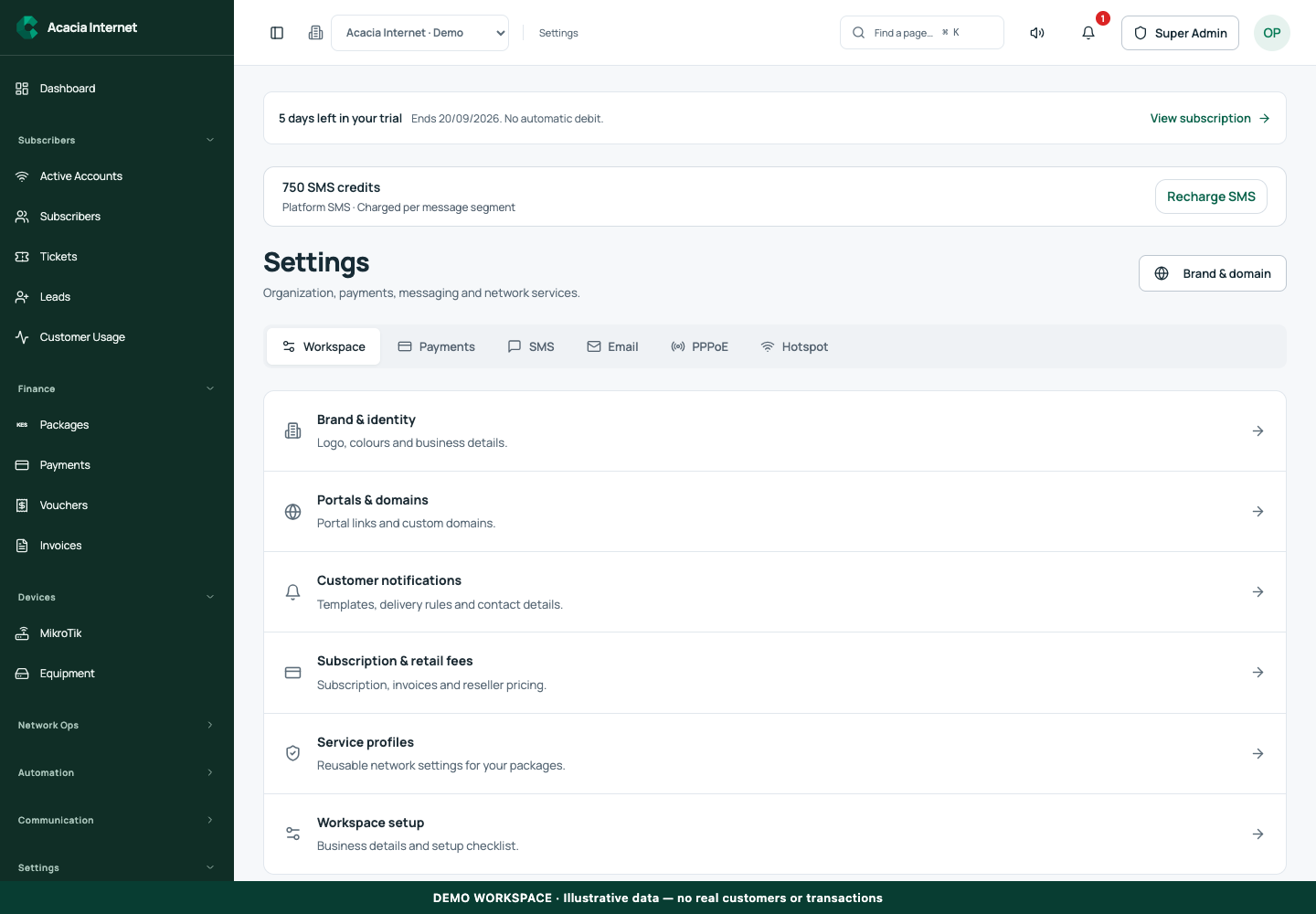
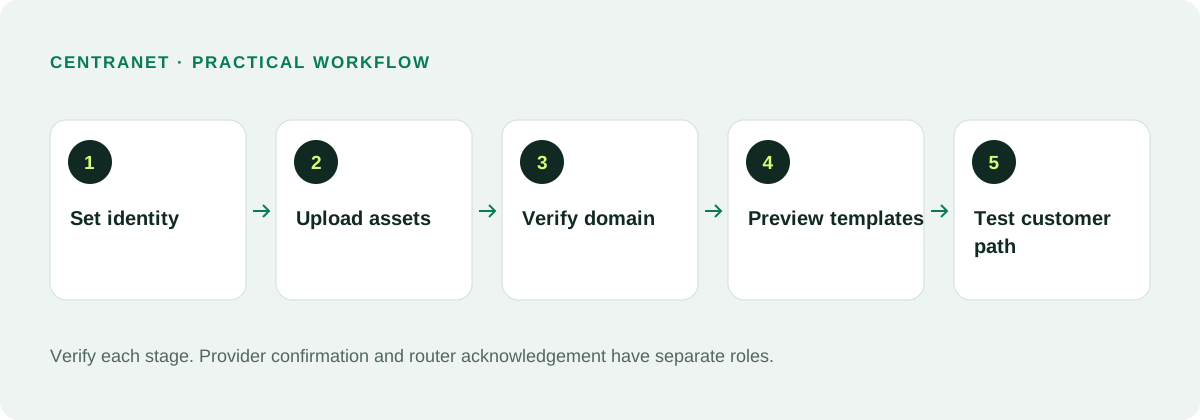
Upload a clear logo and icon in the recommended dimensions shown by the settings screen. Use an image that remains readable on mobile and choose a compact icon that can work as a favicon or installed web-app mark. Avoid a logo with tiny text that disappears in a phone header. Keep a high-quality original so future exports stay consistent.
Choose a small color palette and check contrast for text, buttons and status messages. A recognizable primary color is more useful than adding several unrelated gradients. Test the logo on both light and dark backgrounds where those surfaces are used. Maintain a concise brand name that works in portal headers and message subjects.
03
Make business and support details accurate
Configure the displayed business name, support email, phone number and relevant business information. These details should match the organization customers actually contact. Do not leave platform-owner details in a reseller’s customer-facing footer. Use an inbox someone monitors and test a submitted ticket or contact inquiry.
Branding should not hide the contracting business or its privacy responsibilities. Review your customer terms and how personal information is used for service administration and reminders. A custom logo is not a substitute for legal identity. Make support and billing contacts easy to distinguish if different people handle them.
04
Choose and verify the portal domain
A branded access link may use an available tenant subdomain or an eligible custom domain, depending on the activated workflow. A custom hostname requires the correct DNS configuration, tenant ownership mapping and a valid certificate. Saving the desired name alone does not make it operational. Follow the domain setup status until it is verified.
Test the hostname in a new browser session. It should load the intended workspace rather than a general platform page or another tenant. Check customer login and payment links on that host. DNS and certificate changes may take time, so complete verification before sending a launch announcement to your entire customer base.
05
Keep portal access tied to the right tenant
A branded host needs to resolve to one authorized workspace. Customer login and portal operations should remain scoped to that workspace even when a person uses a link from an email. Staff who manage multiple clients should deliberately select their workspace. A visual brand alone does not establish an authorization boundary.
Test with two demo workspaces and different customer accounts. A customer from one workspace should not see another ISP’s subscriptions, payments or tickets. Avoid sharing a global login URL when a workspace-specific link is required. Retain a clear recovery route for customers who forget their portal address.
06
Brand the Hotspot journey end to end
A customer connected to Wi-Fi should see the ISP identity, available packages and a direct payment action. Check the unauthenticated captive page as well as any subsequent checkout and success screen. Required portal and payment domains must remain reachable through the router’s captive configuration. Branding cannot compensate for broken DNS or an incomplete walled garden.
Test short and long business names, small phone screens and package cards with real prices. Keep a readable support action and clear retry feedback. Customer-facing pages should use plain language rather than explaining internal router scripts. If a provider-owned payment page displays its own identity, explain the merchant context honestly.
07
Customize communications without breaking system variables
Email templates can include logos, colors, useful sections and links. SMS should remain concise and use the correct business identity. Preserve required placeholders such as the customer name, account reference or portal URL. Preview a template with dummy data before activation and send a test to a monitored inbox or phone.
Brand customization may be gated by the subscription and the template’s scope. Changes should apply only to the intended workspace or reseller level, not overwrite unrelated tenants. Do not remove important expiry, payment or security information for visual reasons. A beautifully styled email still needs a functional link and an accurate account reference.
08
Understand pricing and the reseller distinction
Current published Flex pricing lists optional white label and custom domain at KES 200 per month in addition to the base subscription and usage. A reseller business is a different commercial model: it manages independent ISP workspaces and has its own activation allowances. Do not confuse an ISP branding add-on with the reseller subscription.
The reseller model is KES 3,000 initial onboarding, comprising KES 1,500 setup and KES 1,500 for the first month, then KES 1,500 per month. It includes up to ten activated ISP workspaces, with KES 200 per additional activated ISP per month. An optional reseller custom domain is KES 200 per month. Confirm the current pricing page and invoice before purchase.
09
Keep payment identity and settlement transparent
A white-label portal can show your business context, but the M-Pesa merchant name follows the registered shortcode or payment account. A shared collection route does not automatically rename the Paybill. If you need your registered identity on provider screens, investigate your own supported merchant integration and complete its verification.
With platform-managed collections, configure the required payout destination and understand fees and available-balance rules. With your own gateway, your merchant provider handles settlement under your agreement. Show customers the real supported payment instructions. Never replace a provider business name with an unsupported claim merely to improve branding.
10
Approve the brand with a customer journey test
Walk through a new customer’s experience: welcome message, portal login, package view, payment, receipt, expiry reminder and support request. Test the Hotspot route separately from fixed subscribers. Review the header, footer, icons and links on each surface. Use dummy data so screenshots can be shared safely.
After launch, keep a small checklist for changes to logos, domains and templates. A domain change can break old links; a template edit can remove a necessary reference. Monitor support feedback and correct inconsistent surfaces. Consistency, clear pricing and reliable links build trust more effectively than decorative elements alone.
Related documentation and next steps
Use current product information and original provider documentation when planning your deployment.
Good questions. Clear answers.
Let’s clear
a few things up.
A little clarity goes a long way.
Ask us something elseDoes white label change the M-Pesa Paybill name?
No. The provider controls the merchant identity associated with a shortcode or merchant account. Portal branding does not rename that identity.
Is a custom domain live as soon as I save it?
No. DNS, hostname ownership mapping and certificate verification must complete before the domain is ready.
Can a reseller brand multiple ISP workspaces?
Yes, within the activated reseller model and applicable branding controls. Keep each client workspace’s data and responsibilities separate.